
Print Android text messages for court.
Create a PDF of your conversations to print or share with your lawyer.
Standard PDF is free. Legal export: $9.99 USD once. No subscription.
- 1M+ downloads on Google Play
- No account needed
- Processed on your phone
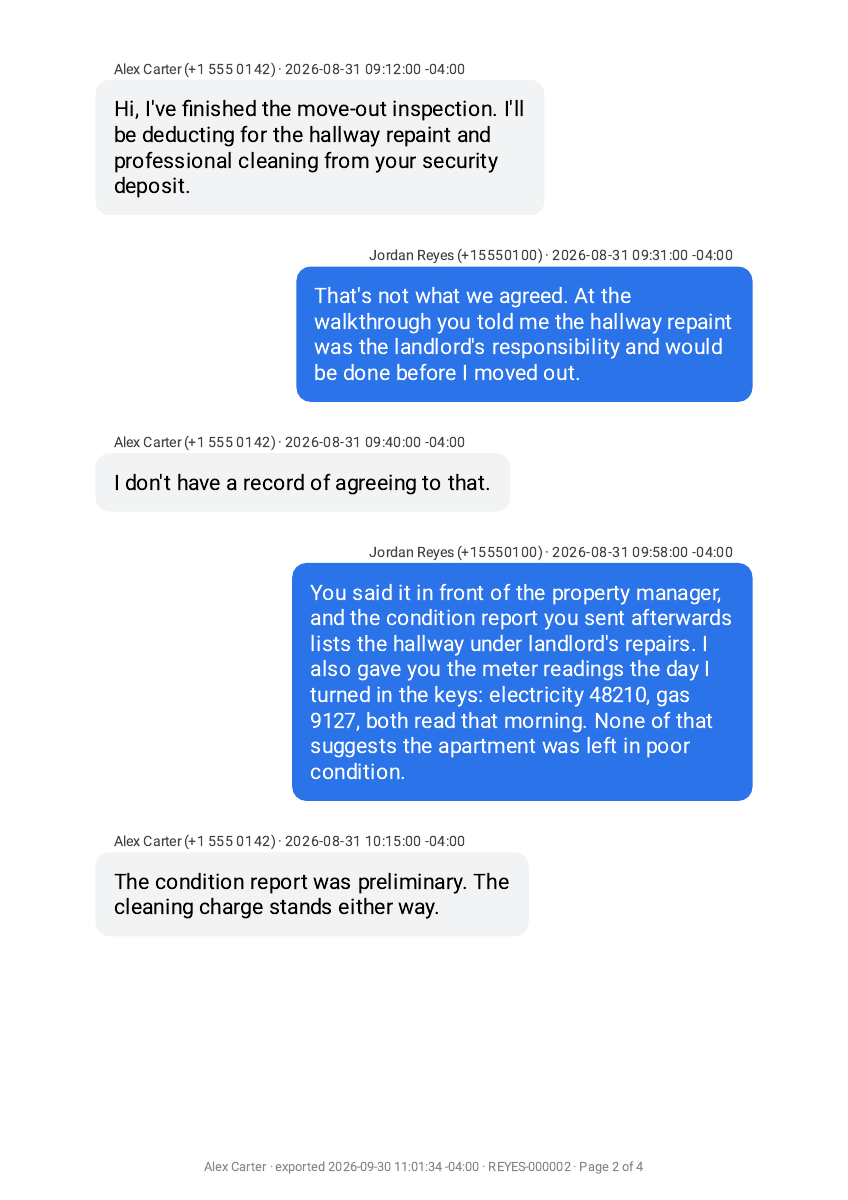
Court-ready formatting
What’s included in a court-ready PDF?
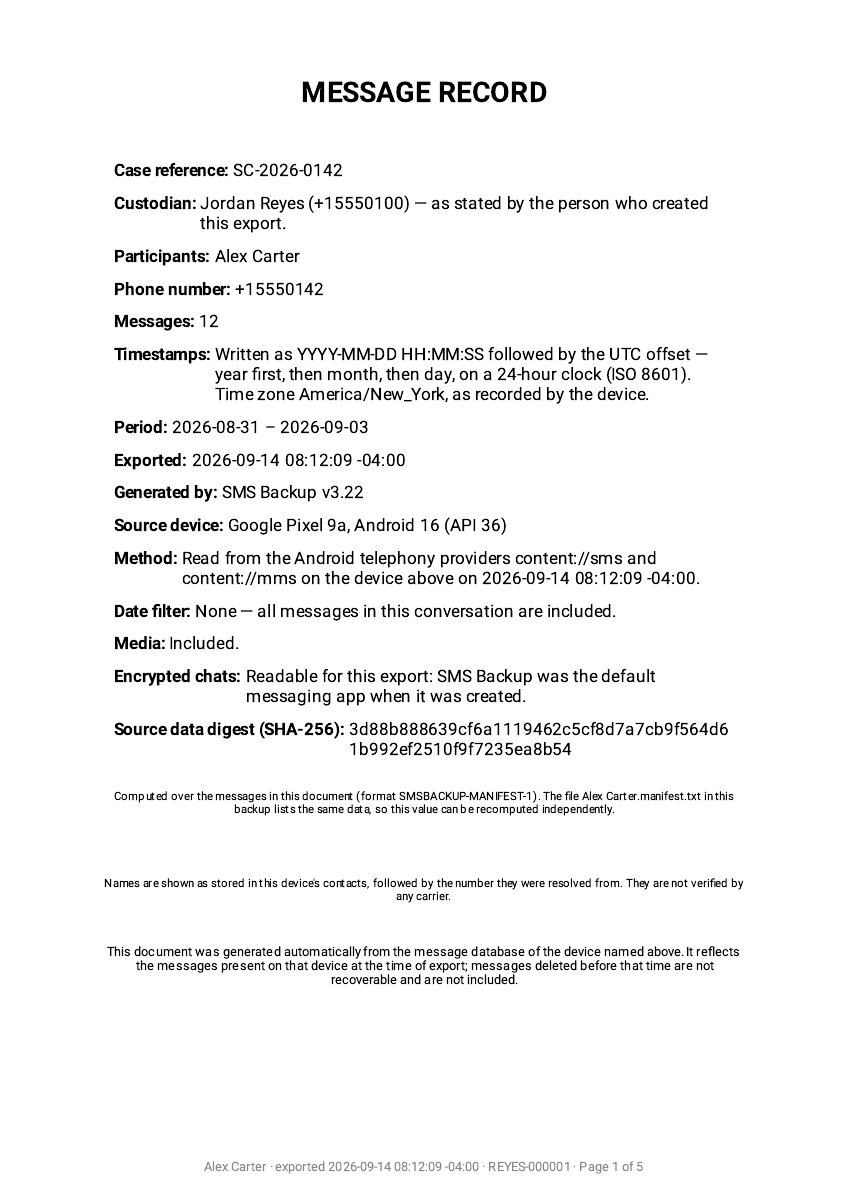
Legal export adds document details to help you identify, organize and share a conversation with your lawyer.
- Sender details and timestampsClarify who said what and when, including the time-zone offset.
- Cover sheetIdentify the conversation, source device and export period; add a case reference and phone owner’s details.
- Page and Bates numberingKeep pages in order and make a specific page easier to reference in a document set.
- SHA-256 verification fileCheck whether a later PDF copy still matches the original exported file.
Court-ready describes the formatting. It does not guarantee court acceptance; check the requirements for your case with your lawyer.
Preview
Preview your
text message PDF.
Compare the free standard PDF with Legal export’s message pages and cover sheet. Open a sample to inspect the timestamps, page numbering and layout before installing. The samples use fictional conversations.
How it works
How to print your text messages
Select your conversations, create a PDF, then open it to print or share.
-
Select
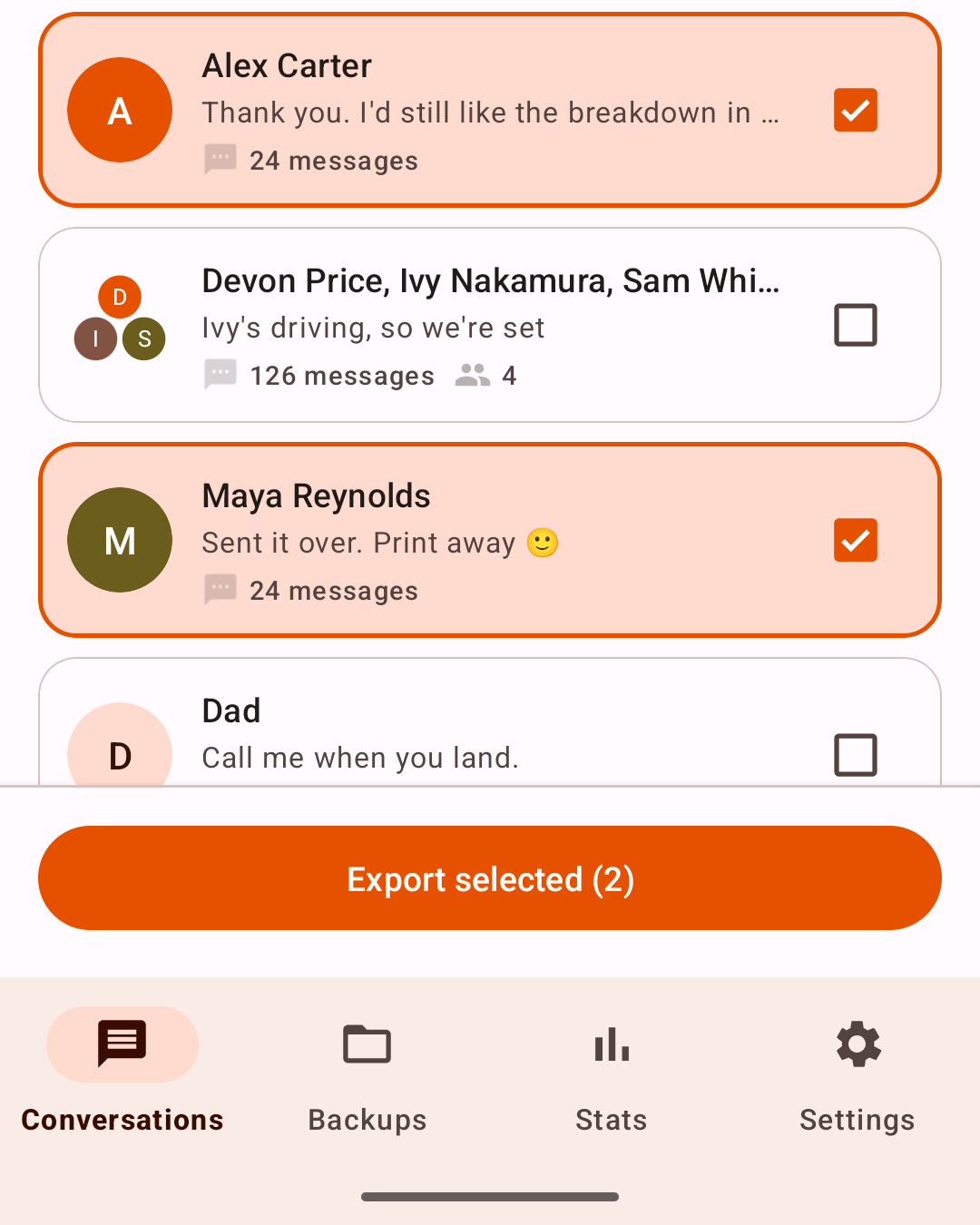
Choose your conversation.
Pick one thread or several. Use a date range to focus on the messages you need.
-
Export
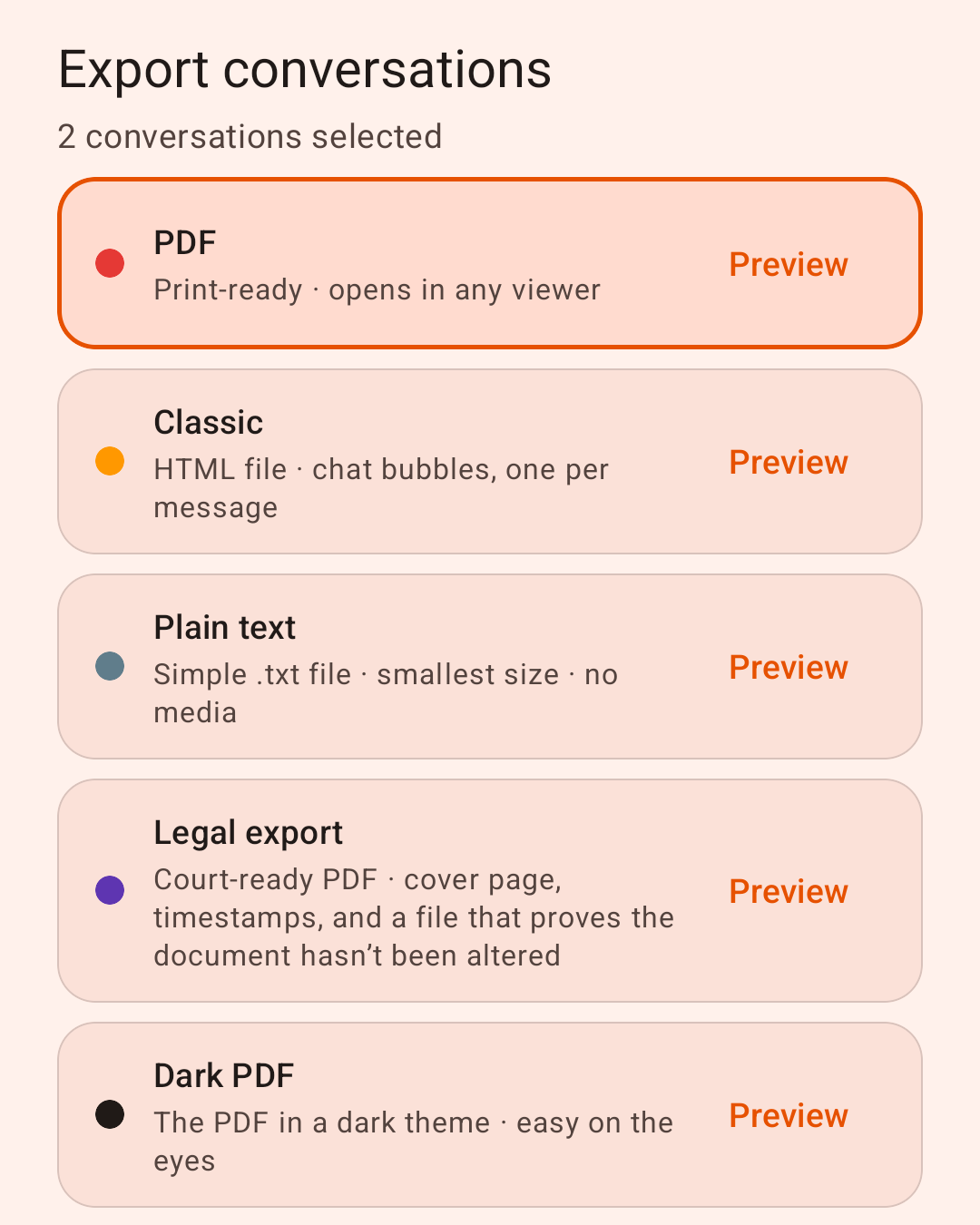
Shown with Premium active. Choose your PDF format.
Select PDF for a free conversation export, or Legal export with Premium for the additional document details. Tap “Start export.”
-
Print
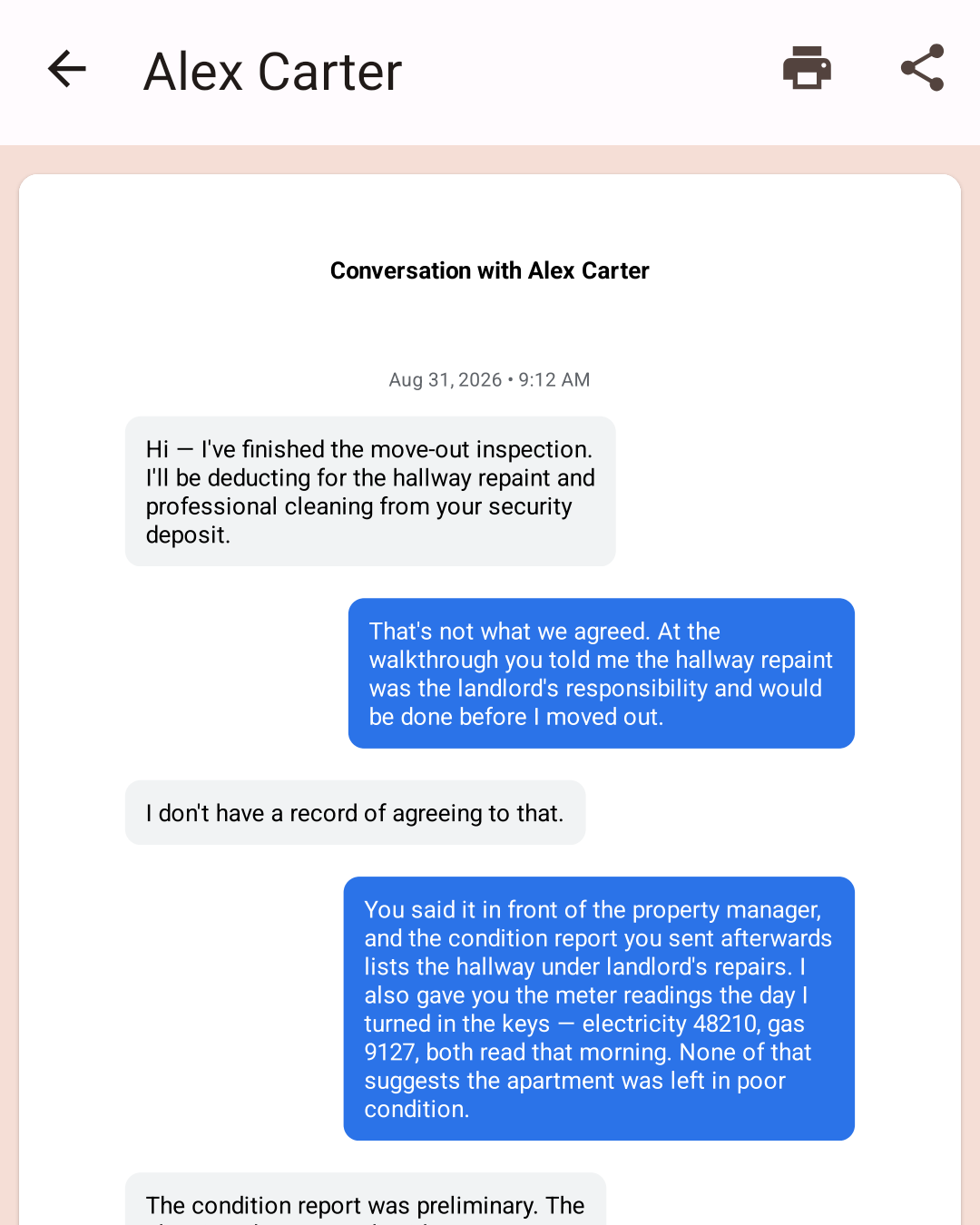
Review, share or print.
Open the exported PDF, check the messages and dates, then share it with your lawyer or choose Print.
Pricing
Pay once.
No subscription.
Standard PDF export is free. One in-app upgrade unlocks Legal export and everything else in Premium.
For Android phones. Check that your messages appear in the app before purchasing Premium.
Install on Google Play (opens in a new tab)$9.99USD, one-time
Free
- PDF export
- HTML & TXT
- Date ranges
Premium
- Legal export
- Attachment files
- CSV export
- Dark PDF
- Schedules, no ads
Price shown in USD; your Google Play price may vary by country. Previous purchases can be restored.
FAQ
Before you print.
Can I print my text messages for free?
Yes. Create a standard PDF and print it for free. You do not need Premium to print your messages. Legal export adds document formatting with Premium for $9.99 USD once. Your Google Play price may vary by country. For other free ways to save your messages, see how to export text messages for free.
Can I export messages from Google Messages or Samsung Messages?
Yes for SMS and MMS: those are read from your phone’s message storage rather than from a particular messaging app, so either one works. RCS chat messages usually export too, including on most Samsung phones, though some setups keep them where the app cannot reach them, and some photos from Samsung Messages chats can be left out. Check that the conversation and messages you need appear before purchasing Premium. If anything is missing, see the missing-conversation troubleshooting instructions.
Why are some conversations missing?
First check the conversation selection and date range. On Android 16 and newer, encrypted chats in Google Messages can only be read by your default texting app, so a conversation, or some of its messages, may be missing. SMS Backup marks a conversation where it finds messages it can’t read.
- In SMS Backup, open Settings and turn on Include encrypted chats. Tap Continue and choose SMS Backup as your default SMS app.
- Check that the conversation is available, and export it.
- Afterward, turn Include encrypted chats off, tap Open settings and choose your usual messaging app again. If an export is still running, let it finish first.
Texts that arrive while SMS Backup is the default won’t be saved, so switch back even if the conversation did not appear or the export failed. Regular SMS and MMS aren’t affected. Messages deleted before export cannot be recovered. Why encrypted chats go missing.
Can I export just one conversation or a date range?
Yes. Select the conversation you need and choose a date range before exporting. You can also select multiple conversations. Date filtering is available with free PDF export.
Does the PDF include photos and attachments?
Photos, yes: the PDF displays photos from supported message attachments. To also save the attachment files themselves, enable Include attachment files with Premium. Videos and audio need to be opened as separate files; they cannot play on a printed page.
Why are some photos missing from chats in Samsung Messages?
Samsung Messages stores photos, videos and voice messages from chat conversations (RCS) in its own storage. Other apps can only partly reach that storage. SMS Backup includes a file when it can open it and confirm it belongs to that message. If it can’t, it leaves the file out rather than risk putting the wrong photo in your export.
When a file is left out, the export shows a placeholder marked “couldn’t be included in this export”. After the export finishes, SMS Backup tells you how many files were affected. This doesn’t mean the files are gone: they are most likely still in Samsung Messages on your phone, where you can open the conversation and save them.
How often this happens varies from phone to phone. On most phones the majority of chat photos are included; on a few newer Galaxy models none of them can be read yet. Regular picture messages (MMS) and chats in Google Messages aren’t affected. If photos matter for your export, check a free PDF of the conversation before buying Premium.
We are working on including more of these files.
Where is my content processed?
Message content is processed on your device. There is no account required for an export. Scheduled backups can optionally upload to your own Google Drive. The free app contains ads; message content is never sent to us.
Do I need to subscribe?
No. Premium is a one-time Google Play purchase, and previous purchases can be restored.
How do I print Android text messages?
Select your conversations and date range, export a PDF, then open it and choose Print. Standard PDF export is free. Read the step-by-step printing guide.
Does it support Bates numbering?
Yes. Enter a prefix in Export details and Legal export stamps a sequential identifier like REYES-000003 on every page footer. Leave it blank and the footer uses page numbering instead.
How can I check whether a PDF copy has changed?
Compare its SHA-256 hash with the value recorded in the verification file Legal export saved beside the original PDF. Matching hashes mean the bytes are unchanged, so keep an unchanged original copy of that file. This check does not establish who wrote the messages or whether the original message data was authentic. Try the sample PDF and its manifest, or see the verification steps.
What can it restore?
It restores SMS only. It cannot recover messages that were already deleted.
Ready to print your messages?
Standard PDF is free. Legal export: $9.99 USD once. No subscription.
 (opens in a new tab)